


Dental Practice Management Software
QuickVision
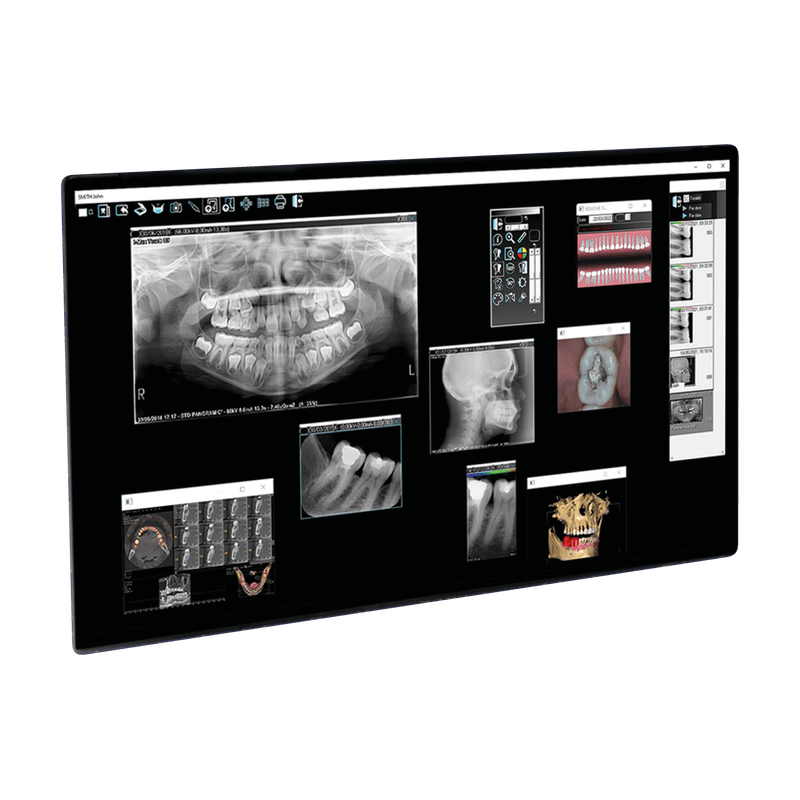
QuickVision imaging software is designed for dental practices and includes a patient database, an imaging module and a dental diagram.

Key features of the software
Patient database
Simple and efficient
Images, X-ray, cone beam
Imaging module
Instant care tracking
Dental diagram

Patient database
For all practices
Quickvision is a management software for dental practices that works with digital dental radiology equipment, acting as a hub centralizing all patient images.
QuickVision enables users to perform all day-to-day imaging functions in the dental practice: image acquisition and viewing, access to tools to enhance images, measure, zoom, annotate images and share data and images.

Imaging module
2D & 3D Imaging
The imaging module enables you to manage all your 2D and 3D files.
It integrates all the modification tools needed for imaging diagnosis, with contrast, curves and sharpness filter settings.

QuickVision 3D link
3D Imaging
No gateway is needed to open 3D files.
QuickVision immediately detects whether QuickVision 3D is installed and opens cone beams directly within it.

Dental diagram
It allows immediate identification and offers the possibility of opening the latest intraoral X-rays directly by clicking on the desired tooth.
Save time with the drag-and-drop functionality.

Discover it in just a few minutes
QuickVision Manual
Find the complete user guide for the QuickVision software and our documents.

Discover the QuickVision user manual, the comprehensive dental imaging software by Owandy Radiology.
Installation, patient management, acquisition and processing of 2D/3D X-rays.

I-MAX 3D XPRO
LEARN MORE >> I-MAX 3D XPRO
I-MAX 3D CEPH XPRO
LEARN MORE >> I-MAX 3D CEPH XPRO
I-MAX CEPH PRO
LEARN MORE >> I-MAX CEPH PRO
I-MAX PRO
LEARN MORE >> I-MAX PRO
CAPTEUR OPTEO
LEARN MORE >> CAPTEUR OPTEO
OWANDY IOS
LEARN MORE >> OWANDY IOS
OWANDY-RX DC
LEARN MORE >> OWANDY-RX DC
OWANDY RX PORTABLE
LEARN MORE >> OWANDY RX PORTABLE
QUICKVISION 3D
LEARN MORE >> QUICKVISION 3D
CEPH ANALYSIS
LEARN MORE >> CEPH ANALYSIS
OWANDY RX PRO
LEARN MORE >> OWANDY RX PRO
I-MAX 3D XPRO
LEARN MORE >> I-MAX 3D XPRO
I-MAX 3D CEPH XPRO
LEARN MORE >> I-MAX 3D CEPH XPRO
I-MAX CEPH PRO
LEARN MORE >> I-MAX CEPH PRO
I-MAX PRO
LEARN MORE >> I-MAX PRO
CAPTEUR OPTEO
LEARN MORE >> CAPTEUR OPTEO
OWANDY IOS
LEARN MORE >> OWANDY IOS
OWANDY-RX DC
LEARN MORE >> OWANDY-RX DC
OWANDY RX PORTABLE
LEARN MORE >> OWANDY RX PORTABLE
QUICKVISION 3D
LEARN MORE >> QUICKVISION 3D
CEPH ANALYSIS
LEARN MORE >> CEPH ANALYSIS
OWANDY RX PRO
LEARN MORE >> OWANDY RX PRONeed some help?
See our Support page or get in touch!